
Records, data export and integration
A complete record of every seal
Atlas Vac sealers record process data, access events and alarms on every cycle, using the industrial PLC and touchscreen on the machine rather than a separate PC, so there are no PC operating-system or software updates to manage. Records can be retrieved by USB, over your network, or exchanged with your enterprise systems.
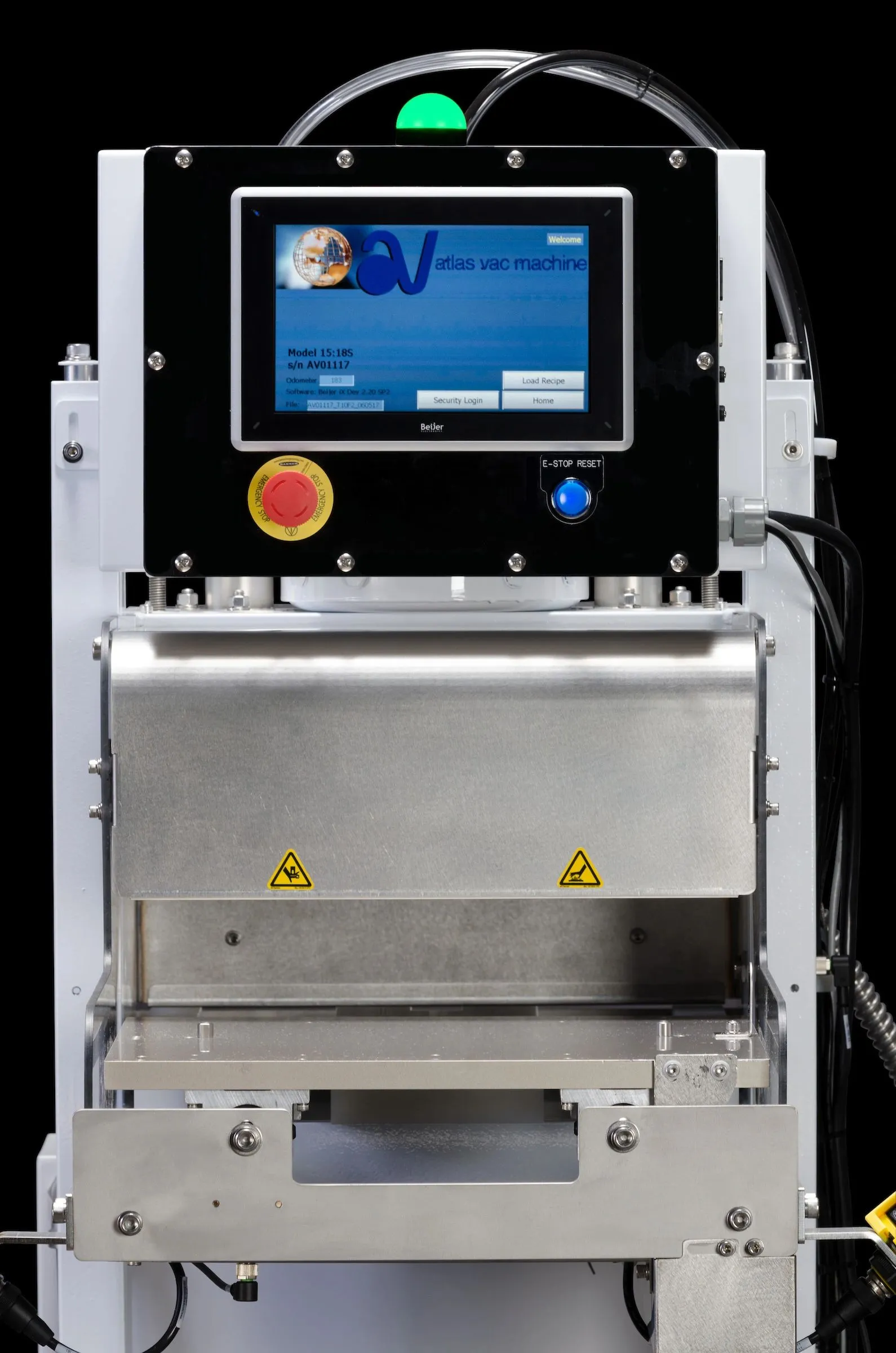
What is recorded
Three records, kept separately
Process data, human actions and alarms are recorded in three distinct files, so each can be reviewed, retained and transferred on its own terms.
- Measured
- Entered or scanned
- Logged
-
Sealing Dynamic Data
Captured at the moment of sealing, for every stroke.
- Seal time, temperature and pressure Measured
- Date, time and odometer reading Measured
- Recipe ID and product ID Entered or scanned
- Lot number and UDI Entered or scanned
- Tool nest ID Entered or scanned
- Operator ID (when individual sign-in is used) Entered or scanned
-
Audit Trail
Who did what, and when.
- Recipe creation, loading and deletion Logged
- Changes to individual recipe parameters Logged
- Sign-on by operator, supervisor and calibration users Logged
- Password and ID changes Logged
- Calibration and short-cycle events Logged
-
Alarm History
Every alarm, with its context.
- Alarm description Logged
- Date and time Logged
- User name, when a user is signed in Logged
- Cycle count at the alarm Logged
How records are kept
Readable, protected and retained until offloaded
Process alarms in the PLC program flag any cycle outside the parameters your organization has set, so discrepant packages are identified at the sealer.
- Human-readable output
- Protected data
- Each record kept on the sealer until it is offloaded
- CSV files for review in Excel or Power BI, or for secure storage
What the records answer
- When was a specific UDI packaged, under which parameters, and by which operator?
- Was the correct tool nest loaded, and did it match the recipe?
- Which engineer edited the recipe parameters, and when?
- When were the calibration settings changed, and by whom?
- When was the last alarm, which parameter triggered it, and what was the cycle count?
- Did every cycle run within the set parameters?
Access and attribution
Every change is attributed
Password-protected access levels on the touchscreen determine who can operate, edit recipes and calibrate. Each action is written to the Audit Trail with the user who made it.
- Optional
Operator
Production users. Each person may have an individual ID, so their information appears in the Sealing Data file and Audit Trail.
- Standard
Supervisor / Engineer
Adds, changes and deletes recipes.
- Standard
Calibration
Highest system access, for calibration to Atlas Vac procedures, including calibration recipes.
- Standard
Administrator
Adds, edits and removes people and assigns their access levels.
Operator identification is optional. Where it is not used, operator-level actions are not attributed to an individual.
Retrieval
How records leave the machine
Records are retained on the sealer until they are offloaded. Choose manual retrieval, or connect the sealer to your network for transfer and notifications.
- Standard
USB offload
Records are retrieved manually through the powered USB port, so the sealer can remain off your network.
- Optional
Network connection
Connect by Ethernet cable to your internal network, or wirelessly through a local router.
- Optional
FTP file transfer
Transfer records over your network using FTP.
- Optional
Remote HMI viewing
View the operator screen remotely over your network.
- Optional
Email and text notifications
Alarm and status notifications by email or text message. Text messaging carries separate charges.
- On request
Support diagnostics
Sending your sealing data, audit and alarm logs to Atlas Vac helps our engineers resolve support requests quickly.
Identifiers and labels
Scanned identifiers and label output
Barcode scanning at the touchscreen records lot and UDI information with each cycle and confirms the setup before production starts. Cycle data can also be sent to a label printer.
-
Barcode scanning
Scan lot codes, UDI, DI or PI information from paperwork or label sets, including partial values for a match. A scanner connects to the powered USB ports; manual entry on screen is also possible.
-
Setup matching
Match the recipe with barcoded tooling and the device or paperwork during setup, before the first seal.
-
Label printer output
Dynamic cycle data, including time, temperature, pressure, date and recipe number, can be output to PCL5-capable label printers.

Enterprise integration
Enterprise Integration Solution
EIS provides a simplified, bidirectional interface between your enterprise systems and standard pneumatic or All Electric Atlas Vac sealers. Each exchange is configured to the client’s requirements.
Press release, 11 February 2020 (PDF)Your ERP system
Creates recipe and instruction files
Recipes and instructions
Audit trail, sealing data and alarm logs
Network server
File exchange at times you define
Recipe files to the sealer
Records from the sealer
Atlas Vac sealer
Applies recipes; records every cycle
Explanatory diagram. File content, format and timing are defined with each client.
EIS can be added to many existing Atlas Vac sealers by retrofit kit, without changes to the original PLC code.
Installed equipment
Upgrade an installed sealer
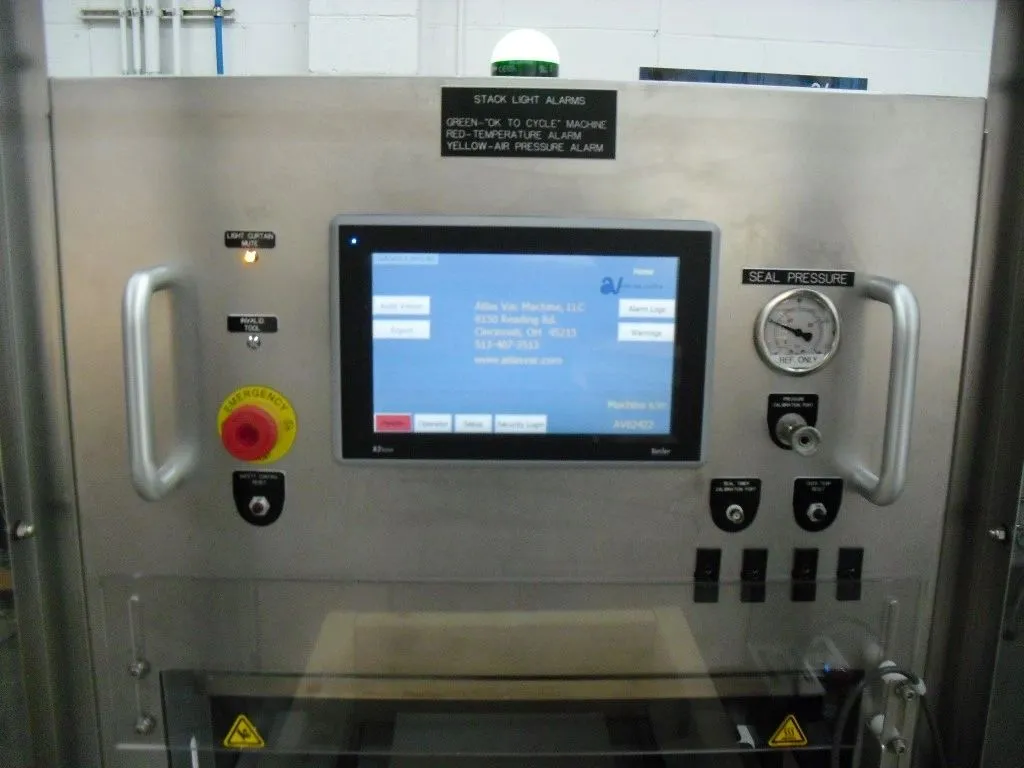
With the 10″ color touchscreen, many existing Atlas Vac sealers can be upgraded with UDI input, barcode scanning, data logging, access control and connectivity. The same features are standard on new sealers, and an upgrade can extend the service life of installed equipment at a fraction of the cost of new.
- Serial number verification is required to confirm eligibility
- A retrofit is typically carried out without changes to the PLC program, as the change is to the input and display device
- Qualification of the modified equipment is carried out by your quality organization

Project enquiries
Discuss your records requirements
Tell us which identifiers you need to record, how records should be retrieved and what your enterprise systems require. Our engineers will recommend the configuration.
Useful if you have it
Required identifiers · Retrieval method · ERP file requirements · Serial number for retrofits
- Address
- Atlas Vac Machine, LLC
9150 Reading Rd
Cincinnati, OH 45215, USA - Phone and email
- (513) 407-3513
sales@atlasvac.com - Hours
- Mon–Fri 08:00 am – 05:30 pm
Saturday by appointment
Sunday closed