

| Need | Option | Availability | What it changes | Limits and requirements | |
|---|---|---|---|---|---|
| Move the tool into the press | Auto Shuttle | Optional on pneumatic models; standard on the All Electric | Electric actuators cycle the shuttle in and out | The press drive remains pneumatic | |
| Run the cycle without hand sensors | Light curtain | Optional on pneumatic models; standard on the All Electric | One-button start with a safeguarded loading area | Requires Auto Shuttle and Auto Pressure on pneumatic models | |
| Set and hold air pressure | Automatic pressure regulation | Optional (Process Control) | Closed-loop control of air pressure within locked limits | Does not measure or control force | |
| Observe sealing force | Direct Force Sensing | Optional on pneumatic models; standard on the All Electric | A lb‑f reading on every press stroke | Reference only on pneumatic models; not closed-loop control | |
| Match the tool to the recipe | RFID Tool ID System | Optional | The sealer will not cycle on a tool and recipe mismatch | Separate from standard barcode matching | |
| Remove sealed trays | Auto Eject | Optional | Pneumatic lift of sealed trays as the shuttle returns | Requires Auto Shuttle and Atlas Vac eject tooling |
Manual and automatic shuttles
Light curtains
A horizontal or vertical light curtain spans the tool loading area, with separate safety circuitry integrated with the press air supply and shuttle motion. Any interruption returns the cycle to home. A single green push button replaces the hand sensors, and the operator prepares the next load while the cycle runs, without the push-pull motion of a manual shuttle.
Safety circuit
- Input Air pressure Set and held by the regulator
- Conversion Pneumatic press Cylinder applies the stroke to the platen
- Output Force on the tool Read in lb‑f by Direct Force Sensing
Manual and automatic air pressure
Direct Force Sensing
Reads the force in lb‑f applied by the press on every stroke and shows it on the PLC screen. Specifying lb‑f in a sealing protocol accounts for differences in air pressure, sealer brands and models, and tooling, so results can be aligned across sealers, lines and sites.
RFID Tool ID System
Each tool carries a recipe identity, written under password. The operator must select the recipe that the tool requires, or the sealer will not cycle. Several product and tool changeovers a day can be made without a supervisor password.
Optional on all sealers, as single-product sealers may not require it.
Barcode matching
Matches a tool barcode to the recipe and to a third item, such as a traveler document, through the UDI feature.
Auto Eject
Sealed trays are lifted pneumatically as the Auto Shuttle returns home, with an adjustable hold of 1–10 seconds. A manual eject command is included, and older tooling continues to run without the lift.
| Option | 1518S | 1518 Dual | 1522 | 1830S | 1830 Dual | 1830S All Electric | Requires |
|---|---|---|---|---|---|---|---|
| Auto Shuttle | Optional | Optional | Optional | Optional | Optional | Standard | None |
| Light curtain | Optional | Optional | Optional | Optional | Optional | Standard | Auto Shuttle and Auto Pressure (pneumatic models) |
| Auto Pressure (Process Control) | Optional | Optional | Optional | Optional | Optional | Not applicable | None |
| Direct Force Sensing | Optional | Optional | Optional | Optional | Optional | Standard |
|
| RFID Tool ID System | Optional | Optional | Optional | Optional | Optional | Confirmed per order | Process Control |
| Auto Eject | Optional | Optional | Optional | Optional | Optional | Confirmed per order | Auto Shuttle and Atlas Vac eject tooling |
Standard controls and safeguards of the range are on Medical tray sealers.

-
Auto Eject
Available for select sealers and tooling sets. Provide the sealer serial number and the tooling assembly part number.
-
Touchscreen data and access
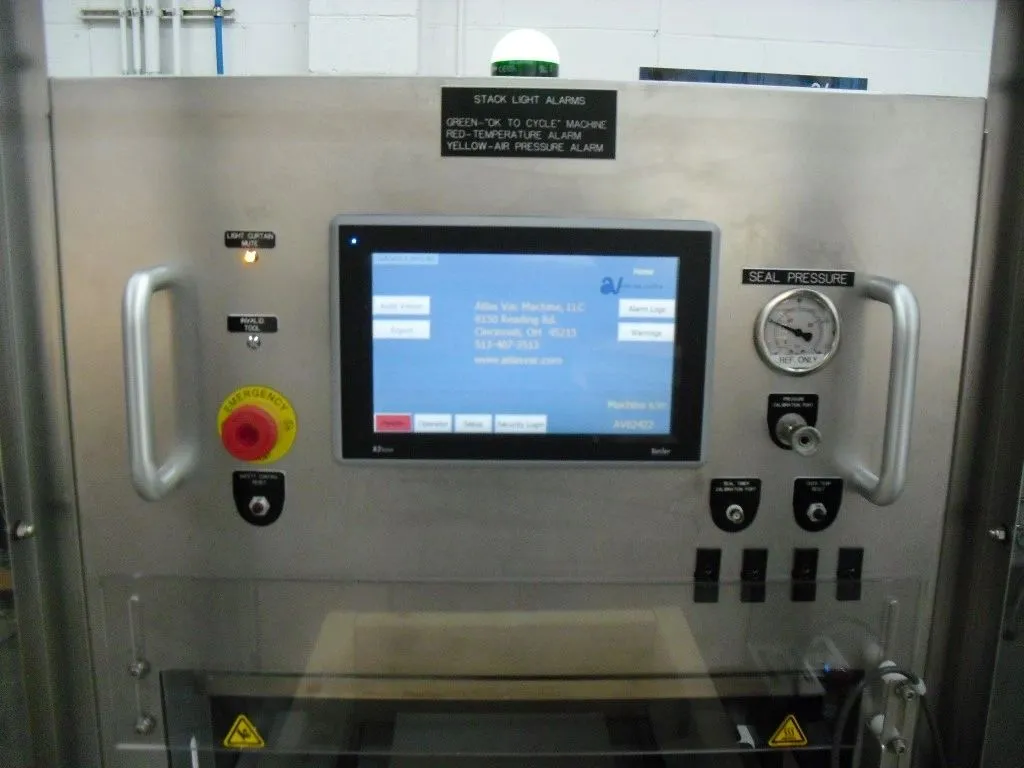
UDI input, barcode scanning, data logging, access control and connectivity on the 10″ color touchscreen.
-
Overtemperature protection
A redundant overtemperature circuit for many older Atlas Vac sealers.

Configuration enquiries
Discuss a configuration
Atlas Vac engineering reviews the model, process and tooling with your organization and recommends the options and prerequisites that apply.
Useful if you have it
Model and serial number · The need: movement, safeguarding, pressure, force, tool matching or tray removal · Tooling assembly part number for retrofits
- Address
- Atlas Vac Machine, LLC
9150 Reading Rd
Cincinnati, OH 45215, USA - Phone and email
- (513) 407-3513
sales@atlasvac.com - Hours
- Mon–Fri 08:00 am – 05:30 pm
Saturday by appointment
Sunday closed